By Berlin BER Airport Guide Editorial Team
Wi-Fi at Berlin Brandenburg Airport (BER) is free, available around the clock, and has no time limit. Look for the network named _Free Airport WiFi, open your browser, accept the terms on the login page, and you are online. No voucher, no SMS code, no payment tier for "premium speed". The one caveat worth knowing before you open your banking app: the airport states plainly that the connection is unencrypted, so treat it like any open network.
BER Wi-Fi at a glance
| Network (SSID) | _Free Airport WiFi |
| Price | Free, no registration data beyond accepting the terms |
| Time limit | None; sessions may time out, reconnecting is free and instant |
| Coverage | All public areas of Terminal 1 and 2, all levels, 24/7 |
| Encryption | None (open network); use a VPN for sensitive logins |
| Power + desk | Workstations on level E1 near gates A10 to A17 and B10 to B17 |
How do I connect to the free Wi-Fi at BER?
Open your device's Wi-Fi settings and choose _Free Airport WiFi; the underscore at the start is part of the name and conveniently keeps it at the top of the list. A login page should pop up on its own. If it does not, open a browser and try any website: you will be redirected to the airport portal, where one tap on the accept button gets you online. The portal itself is worth a look before you close it, since it shows live flight information and interactive terminal maps.
Connection trouble is nearly always solved by the classic trio: turn Wi-Fi off and on, choose "forget network" and rejoin, or switch off any VPN just for the login step and start it again once you are connected.
Is it really unlimited?
Yes. Berlin Brandenburg dropped time-limited airport Wi-Fi years ago, and the current service carries no session quota. The operator reserves the right to disconnect idle sessions automatically for security reasons, so your connection may drop after a long stretch of inactivity. When that happens you simply log in again; there is no cooldown and no counter of sessions per day, which matters on a long layover at BER.
How fast and reliable is it?
The airport does not promise a specific speed, and in practice the network behaves like most large-airport Wi-Fi: comfortable for messaging, mail, maps and standard video calls, slower at the busiest departure waves in the early morning and early evening when thousands of passengers share the same access points. Video streaming in high quality usually works outside peak hours. If a work call absolutely cannot drop, a mobile hotspot from your own phone plan is the safer bet; EU roaming makes that cheap for European SIM holders.
Where can I actually sit and work?
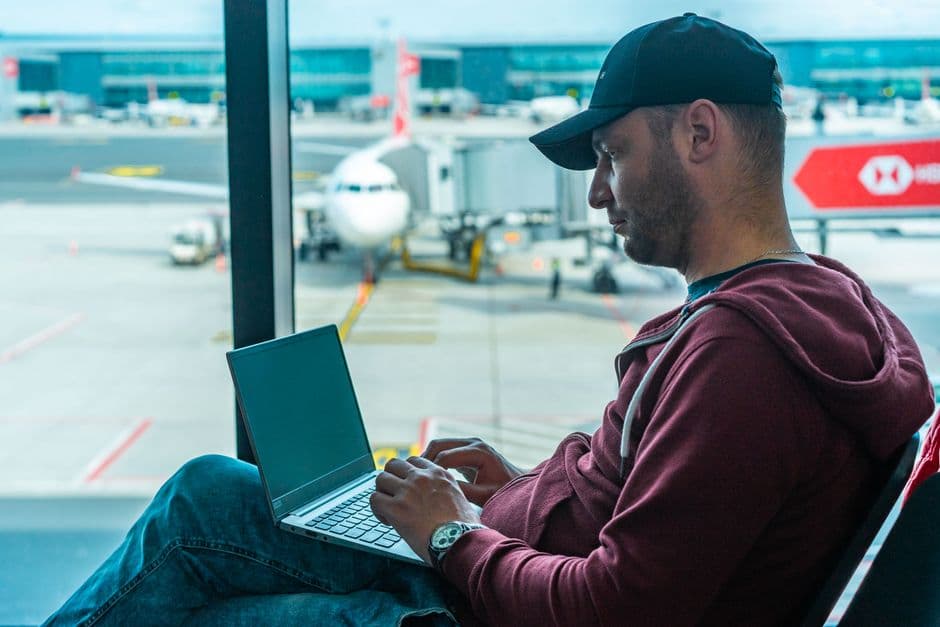
BER keeps dedicated workstations on level E1 of Terminal 1, near gates A10 to A17 and again near gates B10 to B17, with desks and power sockets. They are free, first come, first served. Beyond those, the usual hunting grounds apply: seats with sockets cluster around the gate areas, and most cafes tolerate a laptop with a coffee; our guide to eating at BER lists the quieter corners. For guaranteed desk space, sockets and calmer acoustics, the lounges sell day access with their own Wi-Fi included.
Is the airport Wi-Fi safe to use?
The operator is unusually honest about this: the terms of use state that data transmission on the network is unencrypted. In plain language, anything you send over plain HTTP can in principle be read by others on the same network. Modern sites use HTTPS, which protects the content of what you send, but the safe habits still apply. Save online banking and password changes for your mobile connection or a VPN, skip file-sharing, and make sure your device does not auto-join open networks after you leave.
Alternatives if the Wi-Fi lets you down
EU and UK SIM holders roam at home rates in Germany, so mobile data is usually the painless fallback. Travelers from further afield can load a prepaid eSIM before landing; German coverage inside the terminal is solid on all major carriers. And if you only need a quick connection to show a ticket or call a ride, the free network almost never fails for small tasks; the tips above are for people planning to park at a desk for hours between flights.
FAQ
Is Wi-Fi at Berlin Airport free?
Yes. The network _Free Airport WiFi is free of charge in all public areas of the terminal, around the clock, with no time limit. You only accept the terms of use on the login page.
What is the Wi-Fi network name at BER?
_Free Airport WiFi, with an underscore at the start. Connect, then accept the conditions on the browser login page that opens.
Why does the BER Wi-Fi keep disconnecting?
The airport may automatically end idle sessions for security reasons. Just log in again; reconnection is free and unlimited. If the login page will not load, forget the network and rejoin, or pause your VPN during the login step.
Where are power sockets and desks at BER?
Dedicated free workstations sit on level E1 of Terminal 1, near gates A10 to A17 and B10 to B17. Lounges offer guaranteed desks and sockets with day passes.
About the author
Berlin BER Airport Guide Editorial Team